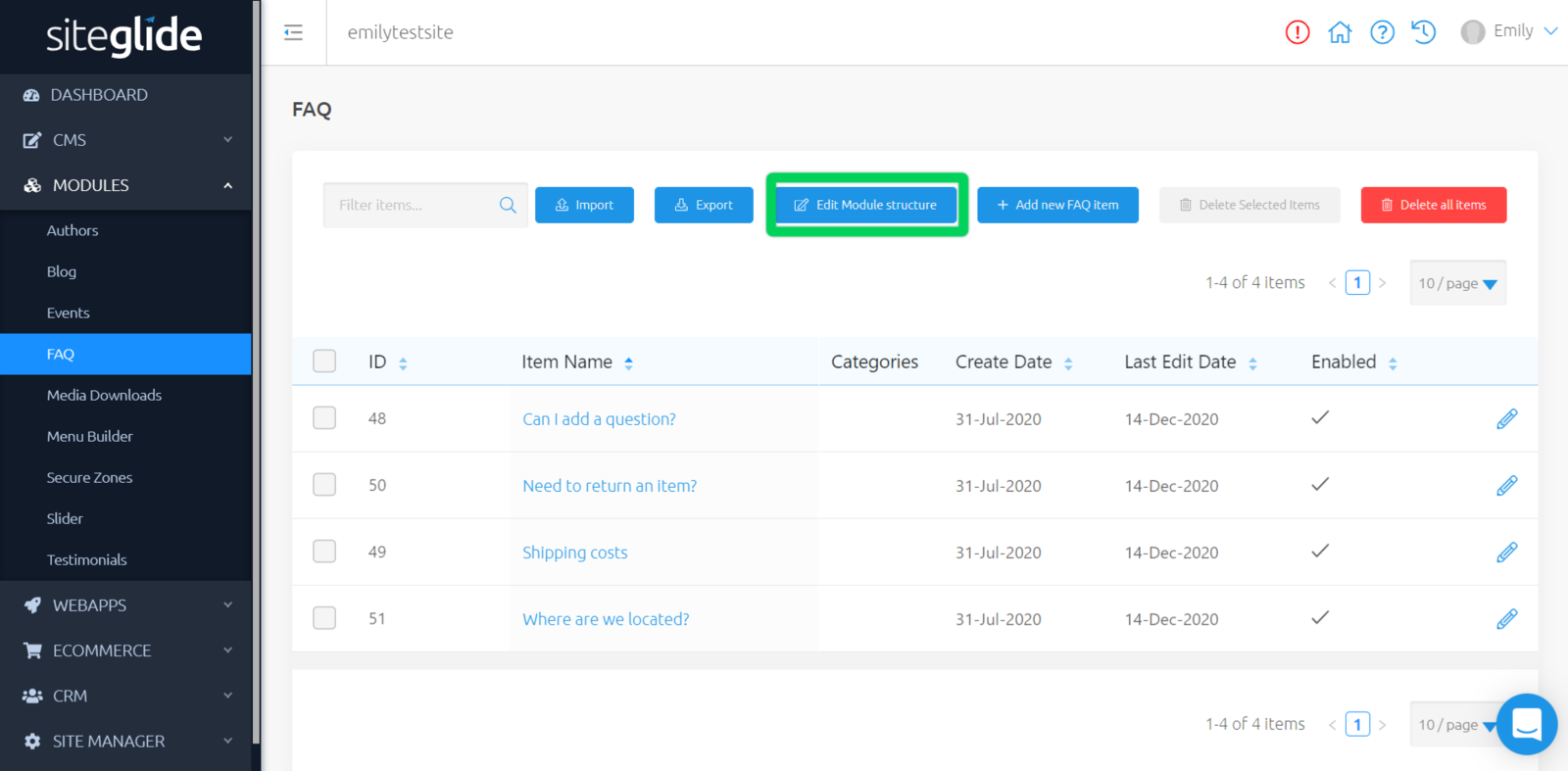
Manage and edit your Products to enable detail views, secure this module, and add custom fields.
Above your list of Products, you have the option to "Edit Module Structure".
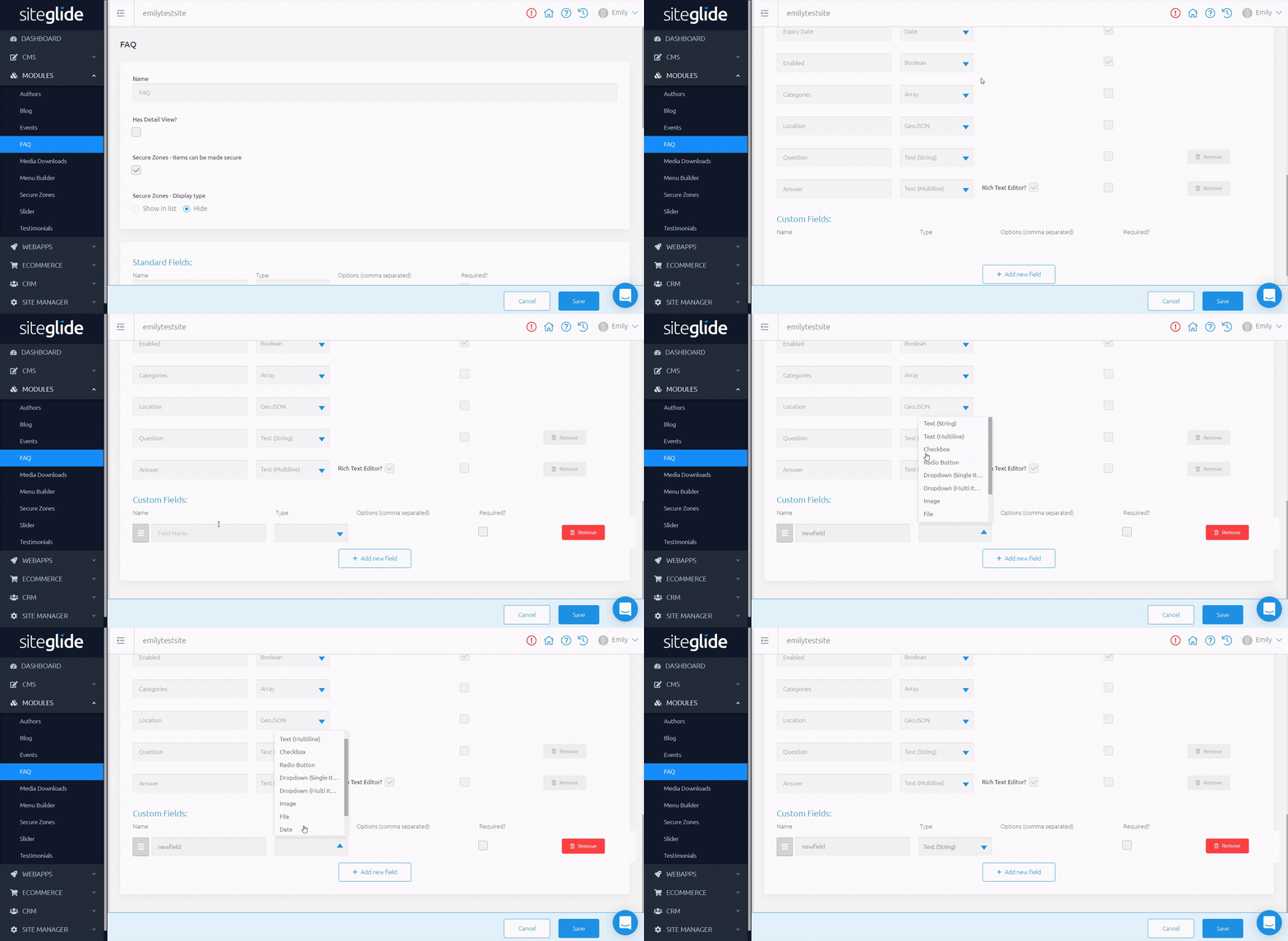
Here, you can manage and edit information about this Module, such as:
Has detail view? - Choose whether this Module will have a detail view
Slug - Create a slug for this module
Detail Page Template - Choose a page template for this Module to use when in detail view
Detail Layout - Choose a detail layout for this Module to use
Secure Zones - Items can be made secure - Choose to secure these items, and whether to show these in list or hide.
Standard Fields - These are the same fields that can be seen in the Standard Fields tab when editing
Custom Fields - Here you can add, edit and remove custom fields to use for your Module